News & Updates
7 Declaration Automation Examples That Work
Seven practical declaration automation examples for UK and Ireland trade: master data, templates, validation, document capture, GVMS and PBN links, exception queues and audit trails.
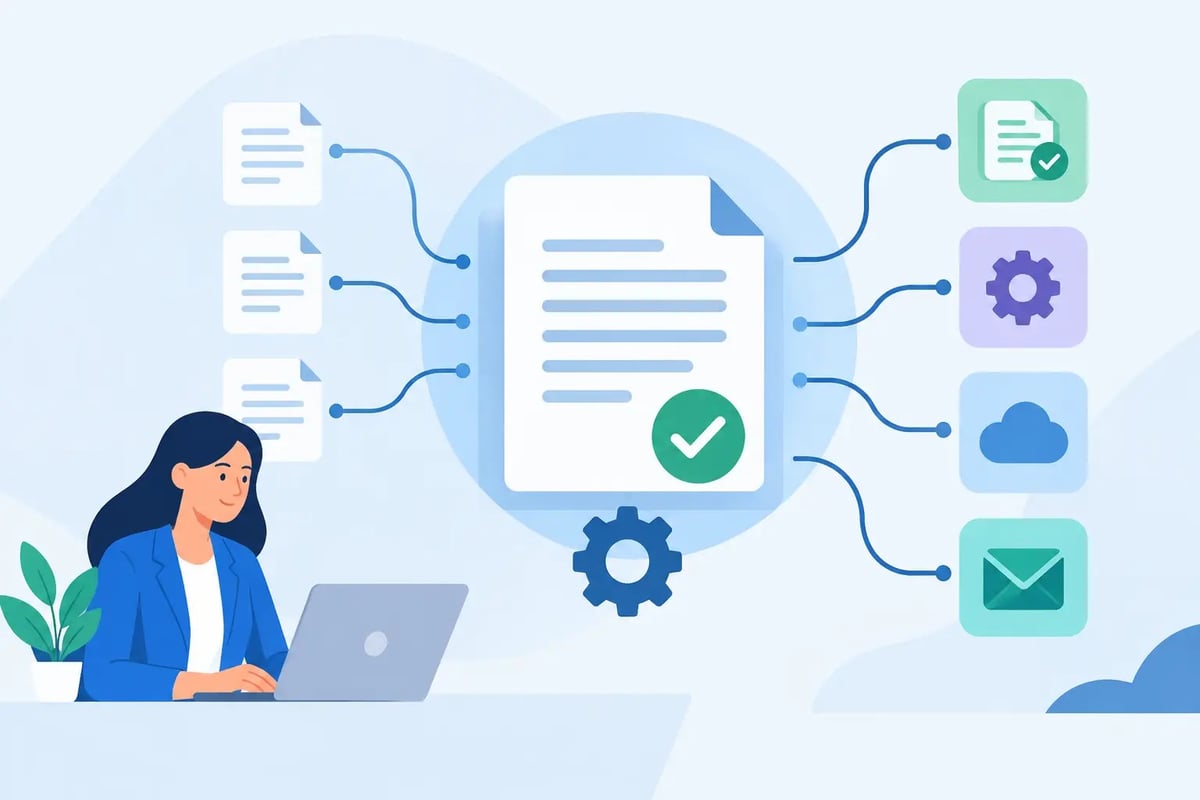
A lorry held at a port because a reference is missing can disrupt a full day of deliveries. For businesses trading between Great Britain, Northern Ireland and Ireland, the best declaration automation examples are not theoretical technology projects. They are practical controls that reduce rekeying, flag missing information early and keep customs, transport and finance teams working from the same data.
Automation does not mean allowing software to make every customs decision without oversight. Commodity classification, customs valuation, origin and procedure choices still need informed judgement. The value comes from automating repeatable tasks around those decisions, while giving trained staff a clear point to review exceptions.
What declaration automation should achieve
A useful automated process should make a declaration faster to prepare, easier to check and simpler to evidence later. It should also fit the way your operation actually works. An exporter dispatching regular palletised loads may need a different workflow from a freight forwarder handling hundreds of clients, or an importer moving mixed consignments through Dublin.
The strongest approach starts with reliable source data. If product descriptions, consignee addresses and values are inconsistent in the ERP, warehouse or transport system, automation can carry those errors into every declaration. Build controls around the data first, then automate the repeated steps.
7 declaration automation examples for trade operations
1. Reusing consignee, supplier and product master data
Every declaration requires repeat information: EORI numbers, addresses, country codes, package details, commodity codes and standard product descriptions. Rather than entering these fields manually for each shipment, an automated customs workflow can draw approved information from a customer, supplier and product master record.
For example, a UK importer receiving the same components from an Irish supplier can select the supplier and SKU line from a maintained record. The system then brings through the relevant declarant details, goods description, commodity code and usual country information. The declarant checks what has changed for that consignment, such as quantity, invoice value or transport details, before submission.
This is particularly helpful where staff are covering holidays or where a growing business has several people preparing declarations. It reduces dependence on an individual's spreadsheet or inbox. However, master data must have an owner. A saved commodity code is not automatically correct forever if the product specification changes.
2. Building declaration templates for repeat movements
Templates suit regular, predictable trade flows. A business that exports the same finished goods from Great Britain to Ireland each week can create a starting point with its usual procedure, office of exit, goods details and parties already populated.
The operator only needs to complete the shipment-specific fields, such as the invoice number, quantity, gross mass, vehicle registration or transport document reference. A template should shorten the process without hiding the fields that genuinely vary.
This can be effective for regular import declarations too, especially where goods, supplier, Incoterms and delivery terms remain consistent. It is less suitable for mixed consignments, changing product lines or unusual customs procedures. In those cases, a template may still be useful, but the review needs to be more thorough.
3. Validating data before a declaration reaches CDS or ROS
Preventing an error before submission is normally quicker than correcting it after goods are delayed. Automated validation rules can check whether mandatory fields are complete, whether a country code follows the expected format and whether information entered in one field conflicts with another.
A practical example is flagging a declaration where a preference claim has been selected but the available origin evidence is missing. Another is warning the user when a commodity code requires an additional procedure code, document code or licence reference. These prompts do not replace customs expertise. They make the expertise available at the point where a mistake is most likely to occur.
Validation should be proportionate. Too many warnings encourage users to click past them, while too few leave genuine risks unnoticed. The best rules focus on errors that could cause rejection, incorrect duty treatment or a border hold.
4. Extracting key information from commercial documents
Commercial invoices, packing lists and transport documents often contain data that is then typed again into a customs declaration. Document capture can pull out invoice references, seller and buyer details, line values, quantities and weights, giving the declarant a populated draft to review.
This is valuable for customs agents and 3PLs processing high volumes of client paperwork, particularly where documents follow a reasonably consistent format. It can also help SME traders reduce administration without needing a large internal customs team.
There is a clear trade-off. Invoice wording is not always sufficient for customs purposes. A line described as “parts” may need a more precise description and classification. Extraction speeds up data entry, but a competent user still needs to verify what the document means in customs terms.
5. Connecting declaration status to GVMS, PBN and transport activity
Submitting the customs declaration is only one part of getting goods across the border. The transport team needs the right references at the right time, whether a movement uses the Goods Vehicle Movement Service, Ireland's Pre-Boarding Notification process or other safety and security workflows.
Automation can pass declaration references and release messages into the operational workflow, reducing the risk that a driver, haulier or ferry booking team works from an outdated email. For a forwarder, it may mean linking shipment status to the client job file so that staff can see whether action is still needed before check-in.
This should not be treated as a simple hand-off. Different routes, ports and movement types have different requirements. Build the process around the actual journey, including who owns the final check before the vehicle travels.
6. Automating exception queues instead of chasing emails
Not every declaration will proceed cleanly. A missing invoice, a rejected message, a held consignment or a query on value needs human action. A well-designed automation process puts these jobs into a visible exception queue, with the reason, owner and next action recorded.
For instance, a customs administrator can receive a task when a declaration is rejected by the relevant government system, while the transport planner sees that the consignment cannot yet be cleared for departure. That is more reliable than relying on somebody to spot a response in a shared mailbox.
Exception queues are often where businesses see the greatest operational benefit. Straightforward shipments move through an efficient standard process, while experienced people focus their time where judgement is needed. Clear escalation is essential for out-of-hours movements and time-sensitive ferry departures.
7. Creating an audit trail for post-clearance checks
Customs compliance does not end when goods are released. Businesses need to be able to show how a declaration was prepared, which documents supported it and who made any changes. Automation can store the declaration data, submitted messages, invoices, preference evidence and internal approvals against the shipment record.
This makes post-clearance checks more manageable. If finance queries an import VAT amount, or a customs review requires evidence of origin, the team can retrieve the relevant record rather than reconstructing the transaction from several systems.
An audit trail also supports continuous improvement. Reviewing amended declarations, rejected entries and common exceptions can reveal where product data, training or supplier documentation needs attention. Automation should help the business learn from errors, not simply process them faster.
Choosing the right level of automation
Start by mapping one regular movement from order to arrival. Identify where people copy data, where information is checked, which system sends the customs message and how the transport team receives a release reference. This quickly separates worthwhile automation from processes that only appear repetitive.
A hybrid model is often the most practical choice. Your team may prepare routine declarations in-house using easy-to-use software, while a customs specialist supports unfamiliar procedures, high-risk classifications or periods of staff absence. Custran supports this approach through customs software, training, advisory support and agency processing, allowing businesses to retain control without being left alone when an exception arises.
The right first project is usually a frequent, stable movement with clear source data. Prove that process, measure rejected messages and preparation time, then apply the lessons to more complex flows. Good declaration automation gives your team more time for the decisions that protect compliance and keep goods moving.